> ## Documentation Index
> Fetch the complete documentation index at: https://calcomhelp-mintlify-recurring-event-webhook-1777554493.mintlify.site/llms.txt
> Use this file to discover all available pages before exploring further.
# Disabling Cancelling and Rescheduling
[Cal.com](http://Cal.com) allows you to control whether events can be cancelled or rescheduled after they've been booked. These options apply to **both the organizer and the guest**.
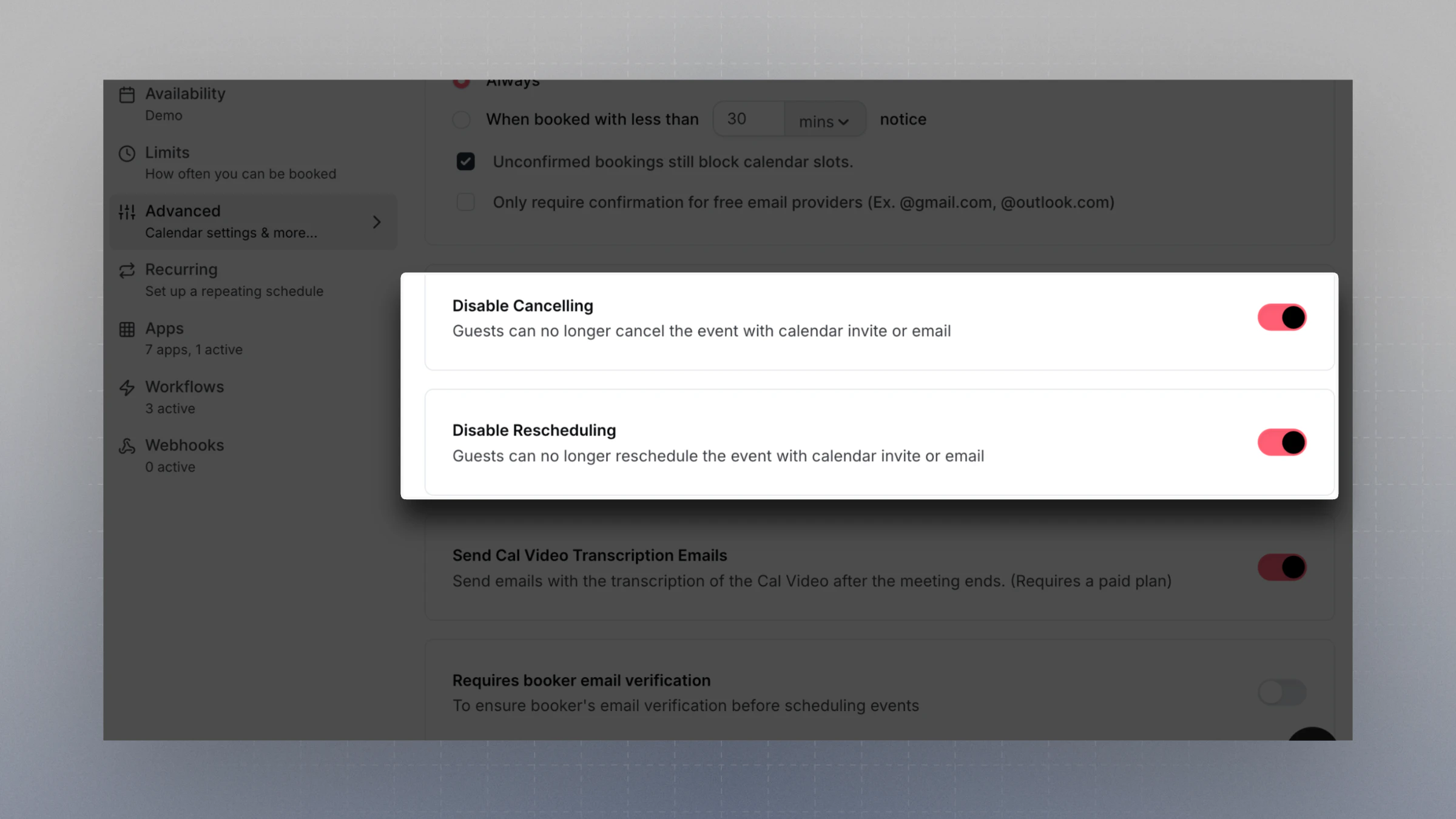 #### **Disable Cancelling**
When this setting is enabled:
* Guests will no longer be able to cancel their booking via calendar invite links or email.
* Organizers will also lose the ability to cancel the event from within the [Cal.com](http://Cal.com) dashboard or via calendar/email links.
This is useful when bookings must remain fixed once confirmed — for example, in high-demand or tightly scheduled environments.
#### **Disable Rescheduling**
When this setting is enabled:
* Guests can no longer reschedule their booking using the links provided in their confirmation email or calendar event.
* Organizers are also prevented from rescheduling the event through the dashboard or calendar tools.
Enable this if you need to lock in meeting times and avoid last-minute changes.
These settings apply to the **entire event**, and affect both parties. Use with caution if flexibility is important for your scheduling flow.
#### **Disable Cancelling**
When this setting is enabled:
* Guests will no longer be able to cancel their booking via calendar invite links or email.
* Organizers will also lose the ability to cancel the event from within the [Cal.com](http://Cal.com) dashboard or via calendar/email links.
This is useful when bookings must remain fixed once confirmed — for example, in high-demand or tightly scheduled environments.
#### **Disable Rescheduling**
When this setting is enabled:
* Guests can no longer reschedule their booking using the links provided in their confirmation email or calendar event.
* Organizers are also prevented from rescheduling the event through the dashboard or calendar tools.
Enable this if you need to lock in meeting times and avoid last-minute changes.
These settings apply to the **entire event**, and affect both parties. Use with caution if flexibility is important for your scheduling flow.